
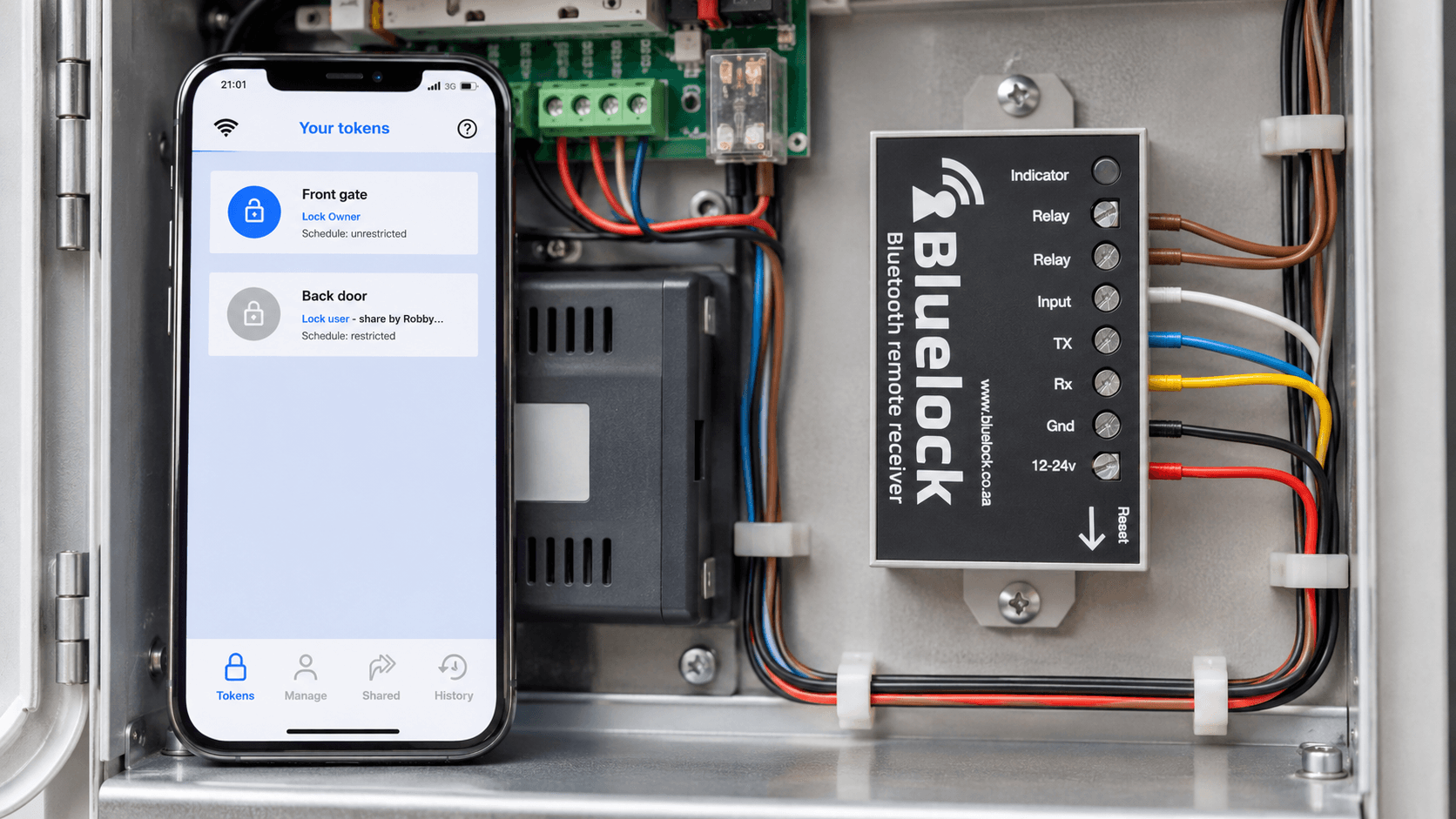
A practical checklist for choosing smartphone gate access control for a home, estate or small business.
Quick answer
Smartphone gate access control can be a practical choice for a home, estate or small business when the existing gate equipment is compatible and the installation is completed safely. Before choosing a system, check the gate motor, receiver connection, users, permission process, phone dependencies and fallback access plan.
What should you check first?
Start with the entrance rather than the app. Identify the gate motor or control board, the existing remote or receiver arrangement, the available power and the place where a receiver could be installed. A phone cannot make an incompatible motor compatible, and a receiver should never be connected in a way that bypasses the gate's safety systems.
Ask an installer to confirm:
- which gate, garage or door equipment is in scope;
- whether the proposed receiver is compatible;
- where the receiver will be placed;
- how the installation will be powered and protected; and
- how the completed system will be tested.
How will access be managed?
Convenient access still needs administration. Decide who can approve users, how residents or staff are added, how contractors are handled and how access is removed when a role or relationship ends. Use the minimum access needed for each person and keep the administrator account under the control of the property owner or responsible business representative.
For a family home, this may mean separating household members, guests and service providers. For a small business, it may mean different rules for owners, staff, cleaning teams and temporary contractors.
What happens if a phone is lost or unavailable?
A lost phone should be treated as an access-management event. Prepare the response before it happens: protect phones with a screen lock, know who to contact, confirm the product's revocation or recovery process and agree on a controlled fallback method. Do not assume that deleting an app automatically removes every permission.
Also consider low battery, a damaged phone, missing app permissions and a poor connection at the entrance. A good access plan explains what the user should do in each case.
Is smartphone access secure?
Security depends on the complete system, not on the word “smart” or “Bluetooth” alone. Review how users are enrolled, how permissions are removed, how accounts are protected, what updates are provided and what information is retained. Keep phones and apps updated, use strong account protection and give access only to people who need it.
Wireless performance also depends on distance, obstacles and local radio conditions. Test the installed system at the normal approach route instead of relying only on a quoted range.
What is the best decision for a property?
The best access solution is the one that matches the property, the equipment and the way people actually use the entrance. A useful decision checklist is:
- List every entrance that needs managed access.
- Identify the motor, control board or lock at each entrance.
- Map regular, occasional and administrative users.
- Confirm compatibility and installation requirements.
- Define lost-phone, outage and fallback procedures.
- Test the system and document who provides support.
Bluelock can help simplify access management where the receiver and connected entrance equipment are suitable. Review the compatibility guidance, read how Bluelock works and contact the team if an installer assessment is needed.
Important limitation
No generic checklist can confirm compatibility for a specific gate or guarantee a particular feature. Product documentation, site conditions and a qualified installation assessment should take priority over assumptions.